WhatsApp message templates
Two things on WhatsApp require a template, a message format pre-approved by Meta: starting a conversation outside the 24-hour customer service window, and the rich formats: image or document headers, reply buttons, call and link buttons, copy-code coupons, and carousels. Docana lets your agents send those templates from the flow, filling in the variables at send time.
The path is always the same three steps: the template gets approved on your Meta account, you register its send payload in Docana, and the agent sends it through the Send message template tool.
Register a template
Open your application's Settings → Channels → WhatsApp and click Manage Templates. The dialog lists every template this application can send; Register a template opens the editor.
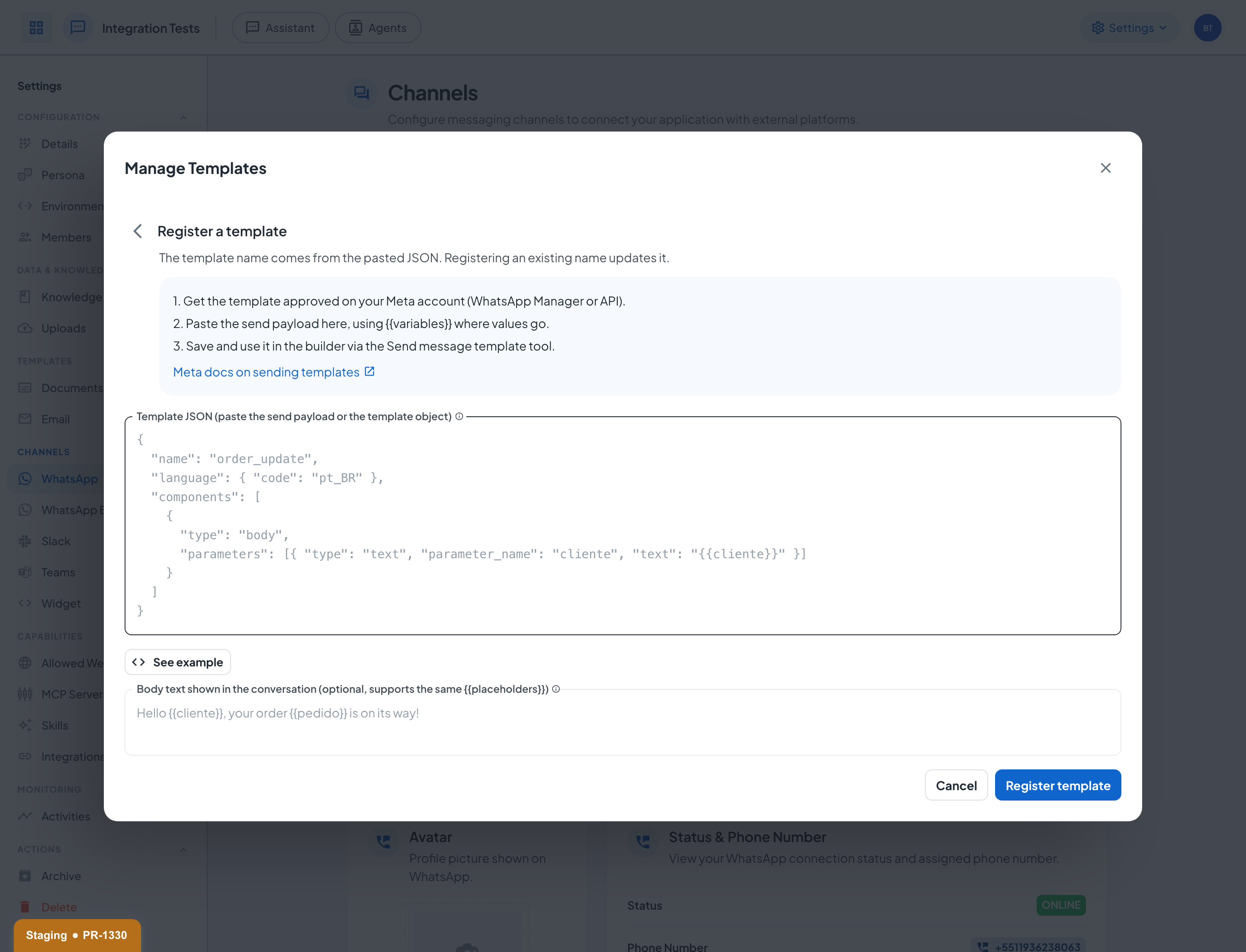
Paste the template's send payload, the same JSON you would POST to Meta's Cloud API, using {{variables}} wherever a runtime value goes. Docana validates the structure, extracts every placeholder, and shows each one as a chip. A few things worth knowing:
- The name is the identity. It comes from the pasted JSON, and registering an existing name updates that template instead of creating a new one.
- Placeholders work anywhere: body parameters, media links, button payloads.
{{cliente}}-style tokens are filled when the agent sends. document:<id>values become file links. A parameter whose value isdocument:abc123turns into a link to that Docana document at send time.- Registering does not create or approve anything on Meta. The template must already be approved on your Meta account (via WhatsApp Manager or the API); Docana stores the send side only.
The optional body text field is what shows in the Docana conversation view. Meta keeps the approved body on its side and only the variable values travel in the payload, so without this field the thread shows just the template name. Fill it with the template's text using the same {{placeholders}} and the conversation displays the real rendered message.
Each registered template has an enabled toggle controlling whether agents can send it, and accounts connected directly to Meta (the WhatsApp Business channel) also get a Sync from Meta button that imports the approved catalog in one click.
Send it from an agent
In the agent builder, add a Tool Call node and pick the Send message template tool. After choosing how the template is selected (a fixed template, a name from a workflow variable, or contextually by the agent), a card appears for each of its variables with two modes:
- Static: the value you type is sent exactly as-is, on every send. The model can't change it.
- Dynamic: the agent fills the value from the conversation, following that field's instructions.
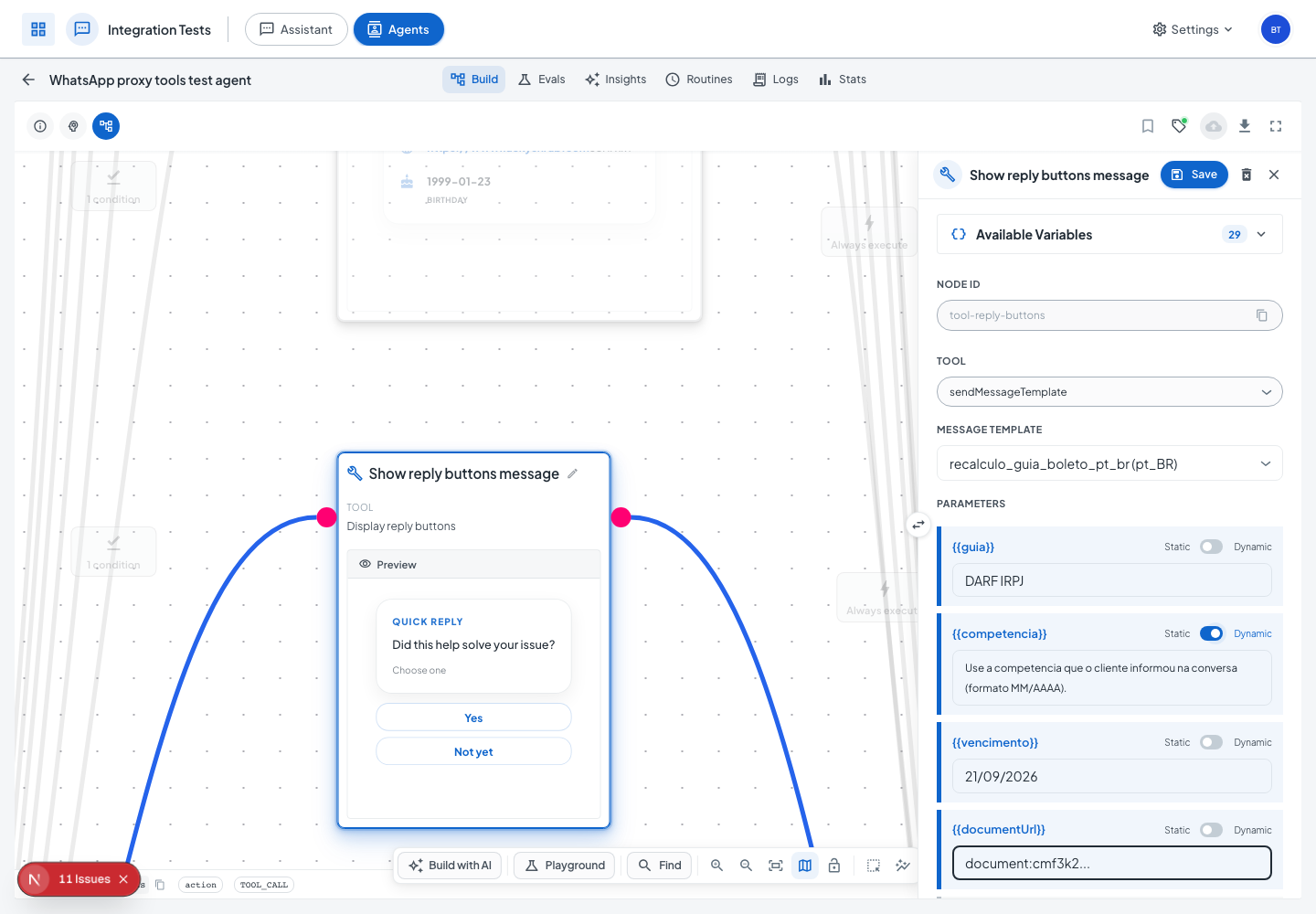
{{workflow}} variables and document:<id> references.If every field is static, the send skips the model entirely: zero AI cost, and the exact same message every time. The same editor appears on the Follow-up node, so scheduled messages outside the 24-hour window use the same mechanism.
Every send is auditable in the agent's Logs tab: the final message text, each variable labeled with where it came from (static configuration or dynamically filled), the model's reasoning, and token usage. If a required variable can't be filled, nothing is sent and the error names the missing field. A template never goes out incomplete.
Manage templates programmatically
Everything the Manage Templates dialog does is scriptable, with the same payloads:
| Surface | How |
|---|---|
| REST API | GET/POST /api/v1/applications/{id}/message-templates/, PATCH/DELETE /api/v1/applications/{id}/message-templates/{templateId}/ |
| Docana MCP | listMessageTemplates, registerMessageTemplate, setMessageTemplateEnabled, deleteMessageTemplate |
| CLI | docana templates ls, docana templates register, and friends |
Registering over any of these mirrors the dialog exactly: paste-the-payload semantics, name-is-identity upserts, and the same validation.
Next steps
- WhatsApp: Connect the channel the templates ride on
- Creating an Agent: Build the flow that sends them
- Meta's docs on sending templates: The payload format, straight from the source