API Overview
Everything you can do in the Docana UI sits on an HTTP API, and the parts you need for integrations are open to you: chat with your assistant, search your knowledge, manage conversation threads, and trigger routines.
Authentication
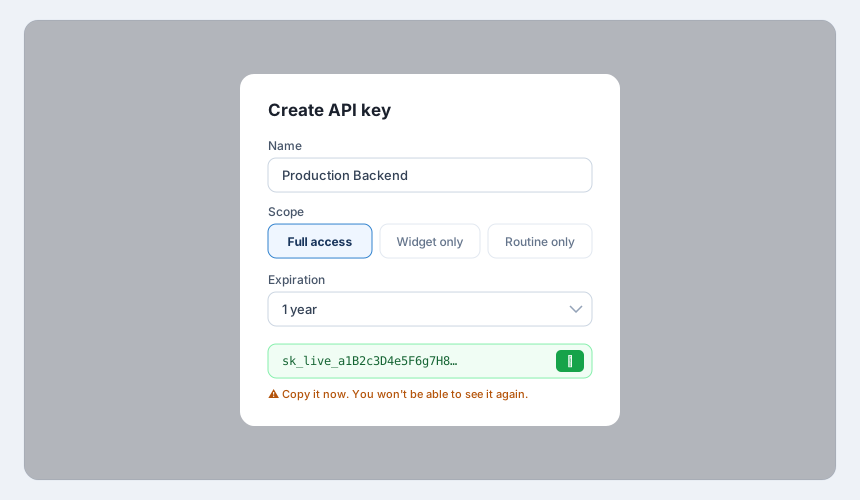
Create an API key first (see Generating API Keys). Send it in the Authorization header using the ApiKey scheme, not as a Bearer token:
Authorization: ApiKey YOUR_API_KEY
Keys have scopes. Full access keys can call everything below. Widget only and Routine only keys are locked to their endpoints, which is what you want for anything that ships to a browser or a third-party system.
The base URL is https://platform.docana.com (or your own deployment's host).
The Endpoints You'll Actually Use
| Method | Path | What it does |
|---|---|---|
POST | /api/channels/widget/{applicationId}/chat | Send a message to your application and stream the answer |
GET | /api/channels/widget/{applicationId}/history | Fetch a visitor's conversation history |
POST | /api/channels/widget/{applicationId}/archive | End and archive a widget conversation |
POST | /api/search | Search your knowledge base |
GET | /api/threads/{threadId}/messages | Read the messages in a thread |
POST | /api/threads/{threadId}/archive | Archive a thread (triggers insights in archive mode) |
GET | /api/threads/{threadId}/latest-insights | Get the latest extracted insights for a thread |
POST | /api/agents/{agentId}/routines/{routineId}/run | Trigger a routine |
GET | /api/health | Health check, no auth required |
The channel settings pages in the platform generate ready-to-run request examples for your specific application, with the right IDs filled in. That's the fastest way to get a working call: open your application's Channels settings, pick the channel, and copy the example.
Example: Chat With Your Application
curl -X POST "https://platform.docana.com/api/channels/widget/${APPLICATION_ID}/chat" \
  -H "Authorization: ApiKey ${DOCANA_API_KEY}" \
  -H "Content-Type: application/json" \
  -d '{
    "messages": [
      { "id": "msg-1", "role": "user", "content": "What is our refund policy?" }
    ],
    "visitor": { "id": "user-123", "email": "[email protected]" }
  }'
The response streams back the assistant's answer as it's generated.
Example: Archive a Thread
curl -X POST "https://platform.docana.com/api/threads/${THREAD_ID}/archive" \
  -H "Authorization: ApiKey ${DOCANA_API_KEY}"
Archiving matters more than it sounds: if your agent generates insights in archive mode, this call is what triggers the extraction.
Errors
The API uses standard HTTP status codes. 401 means your key is missing, expired, or malformed (check the ApiKey scheme). 403 means the key's scope doesn't cover that endpoint. 404 usually means the ID belongs to a different application than your key.
A Full Reference Is Coming
This page covers the endpoints integrations need most. A complete endpoint-by-endpoint reference is in the works. Until then, two good options:
- The CLI wraps the API with commands for agents, documents, and conversations
- The channel settings pages generate exact, working examples for your application
Next Steps
- Generating API Keys - Create and scope your keys
- CLI - The same power, from your terminal
- Web Widget - The prebuilt UI over the chat endpoint