Connectors
Your documents already live somewhere: Google Drive, Dropbox, OneDrive. Uploading them to Docana by hand works, but it doesn't scale, and it goes stale the moment someone edits the original. Connectors fix both. Connect a source once, import what you need, and keep it in sync.
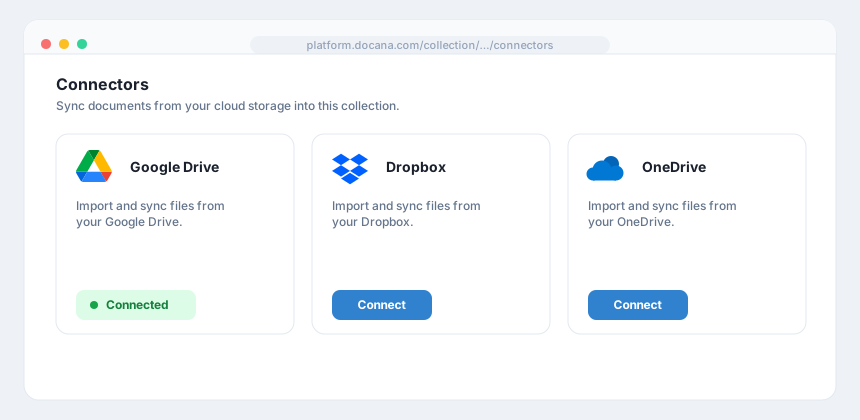
Docana supports these sources:
- Google Drive
- Dropbox
- OneDrive
Step 1: Connect a Source
- Open your collection from Knowledge Libraries
- Open the collection's Connectors section
- Pick a provider and click Connect
- Authorize Docana in the provider's sign-in window
Step 2: Import Documents
Once connected, you'll see the files in your cloud storage:
- Browse or search ("Search Documents...") to find what you need
- Select files with the checkboxes
- Click Import
Each file shows its name, location, size, last update, and import status. Docana processes imported documents the same way as uploads: indexing text, reading tables, extracting what matters.
Step 3: Keep Them in Sync
Two options:
- Sync button: re-imports your selected files on demand, picking up the latest versions
- Recurring imports: set a schedule and Docana refreshes them automatically
Recurring imports only refresh files you've already imported. New files added to the cloud folder aren't picked up automatically. Import them once, and the schedule keeps them current from then on.
Managing Connectors
From the collection's Connectors section, you can:
- Sync: refresh imported documents now
- Disconnect: remove the connection to your cloud account
Best Practices
- One connector per collection topic: connect your "Contracts" folder to your "Contracts" collection. Mixed folders make messy knowledge.
- Import selectively: agents get more accurate when collections contain only what's relevant.
- Schedule recurring imports for living documents: policies and price lists change. Contracts from 2019 don't.
Next Steps
- Creating a Collection - Where imported documents land
- Enterprise Search - Find anything you've imported